User Interfaces (Wireframes)
We have designed a few wireframes to demonstrate our vision and functionality for our updated modern GSU course registration website. The user interfaces we have created are provided below:
Wireframe 1: Search & Filter Courses Page
Wireframe 1 Figma Link with Annotations
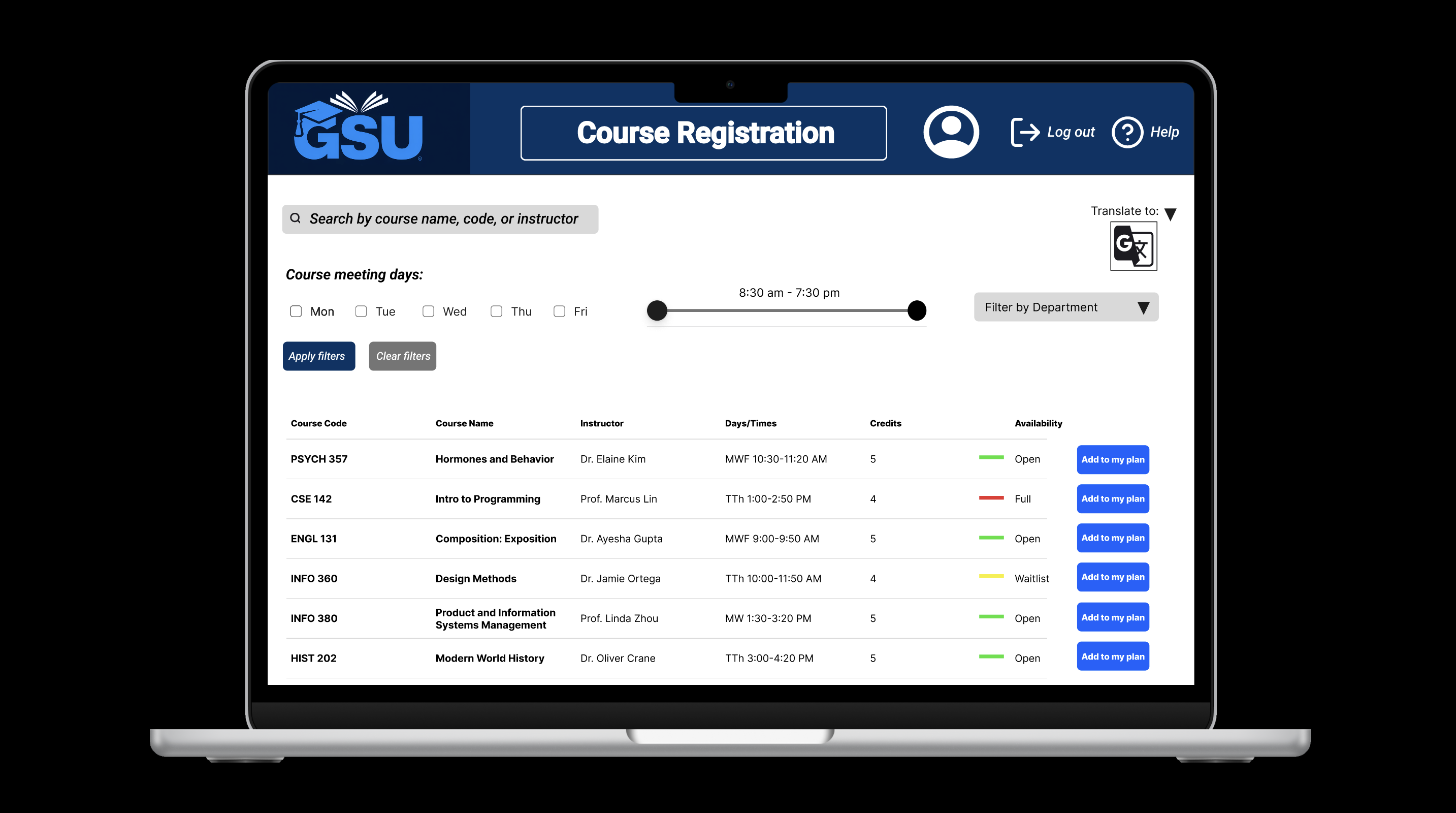
The Search & Filter Courses interface allows students to discover courses that match their scheduling preferences through filters for meeting days, time ranges, department, and seat availability, while also offering a “Translate To” dropdown for improved multilingual support. This design aims to address frequent student frustrations expressed with the current legacy slow and outdated course registration system. As noted in both the undergraduate and advisor feedback, this design aligns with their primary need for a system that allows them to view only relevant and available courses. It also helps better support international students who may struggle with the current English-only interface and instead, improves functionality, as noted by the insights from the International Student Office and Disability Services.
 **
**
Wireframe 2: Course Details Page Layout
Wireframe 2 Figma Link with Annotations
 **
**
Wireframe 3: “My Plan” Page Layout
Wireframe 3 Figma Link with Annotations
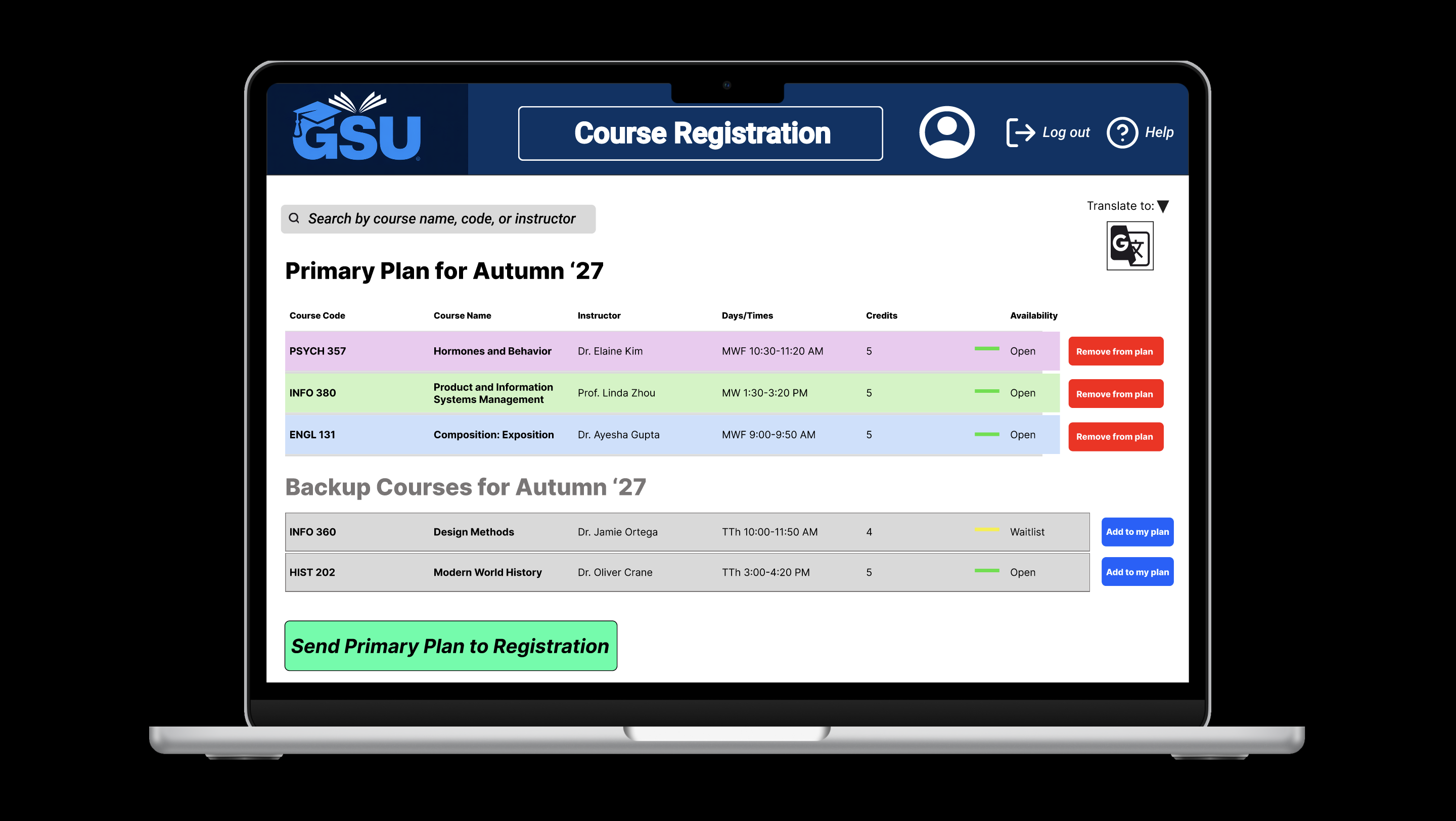
The “My Plan” interface allows students to view, edit, register for primary registration plans, and save potential backup registration plans. This screen fulfills a major stakeholder need expressed by both students and advisors: the ability to prepare multiple schedule scenarios in advance to reduce the stress of last-minute decisions. Additionally, it easily allows students to either remove a course from their primary plan, or add a course from their backup plan, directly on the same page. Lastly, the addition of some multilingual support at the top of the page, helps to ensure that international students can confidently navigate the registration process.
INFO 380 Product Management Project • Portfolio archive • Maintained by emmaphamlet