Workflow Diagrams
We have made workflow diagrams to model user workflows of common tasks will be completed on the course registration system. The diagrams we have created are shown below:
Diagram 1: Seamless Student Course Registration
This diagram is linked to Epic 20 whose aim is to encapsulate and enable students to register for their courses on our new system. This diagram showcases the student workflow for registering, modifying schedules, searching for courses, and other processes students undergo to complete registration. Additionally, it encapsulates other workflows needed for students to be able to register, such as faculty managing, editing and creating course listings along with student-advisor workflows for retrieving student course data from the system. These workflows are showcased in the form of swim-lanes showing how tasks from one user may affect others and to show high-level movement of data between stakeholders.
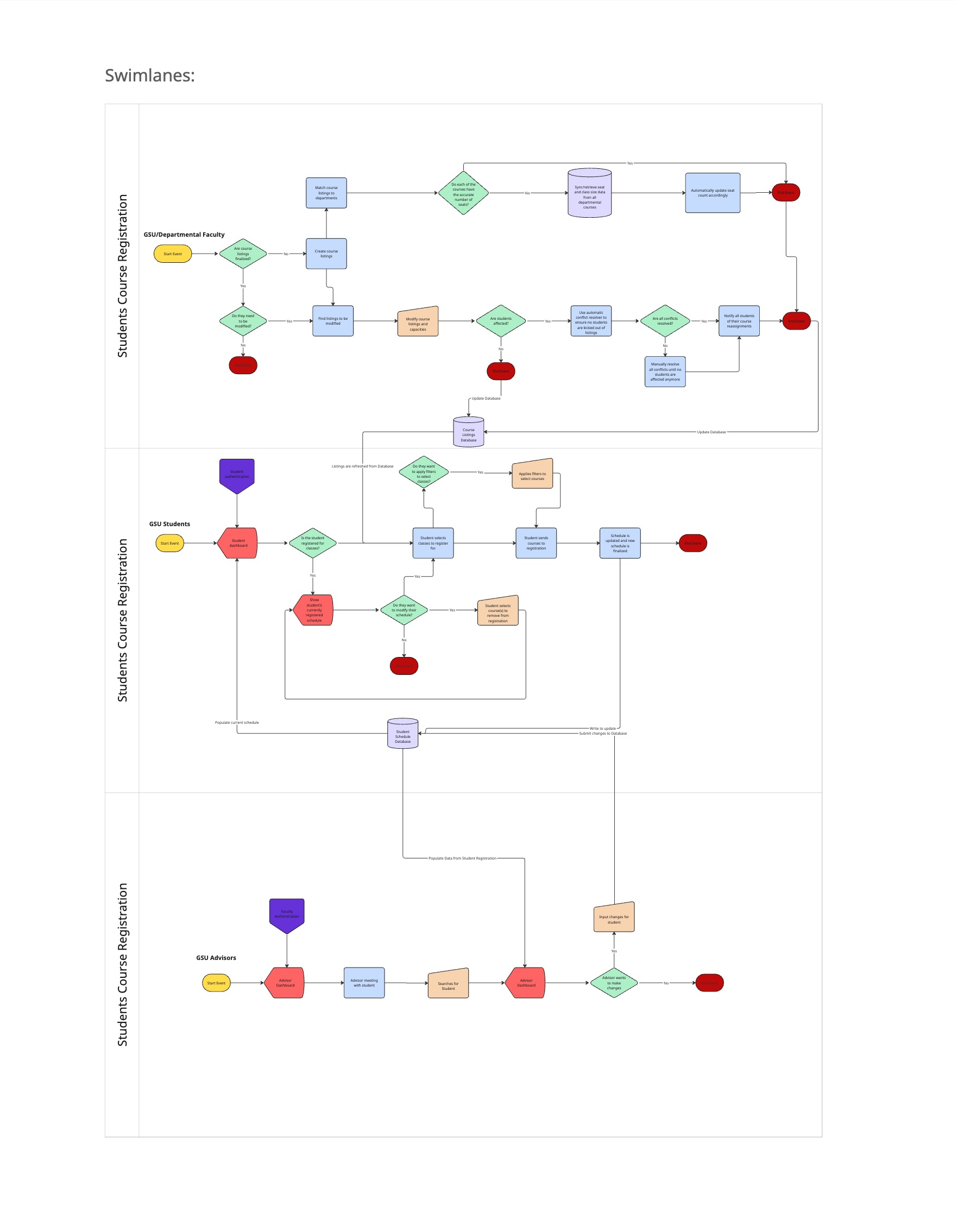
Diagram 2: Automated Waitlist Notification System
This diagram is linked to Epic 29 whose aim is to enable a feature for students to sign up for a waitlist on full courses so they can receive notifications when a spot opens without needing to constantly check for open spots. This diagram shows this workflow by honing in on the waitlist portion of the course registration workflow. This includes sighing up for a waitlist, getting notified when a spot is open on one of your waitlisted courses, and dropping courses to open up spots for others. These actions are all displayed on the diagram to create a circular pattern as all operations completed by students affect other students. Out-of-scope workflows are linked here to reduce complexity of this workflow such as the process of actually registering for a course or searching for a course. This diagram essentially sits in the middle of the course registration epic, however, adds complexity and affords a different feature resulting in it being represented through a separate diagram.
-a8d2c799-4c04-484b-88f4-04d37a2f1ebc.jpg)
INFO 380 Product Management Project • Portfolio archive • Maintained by emmaphamlet